
Pricing credits
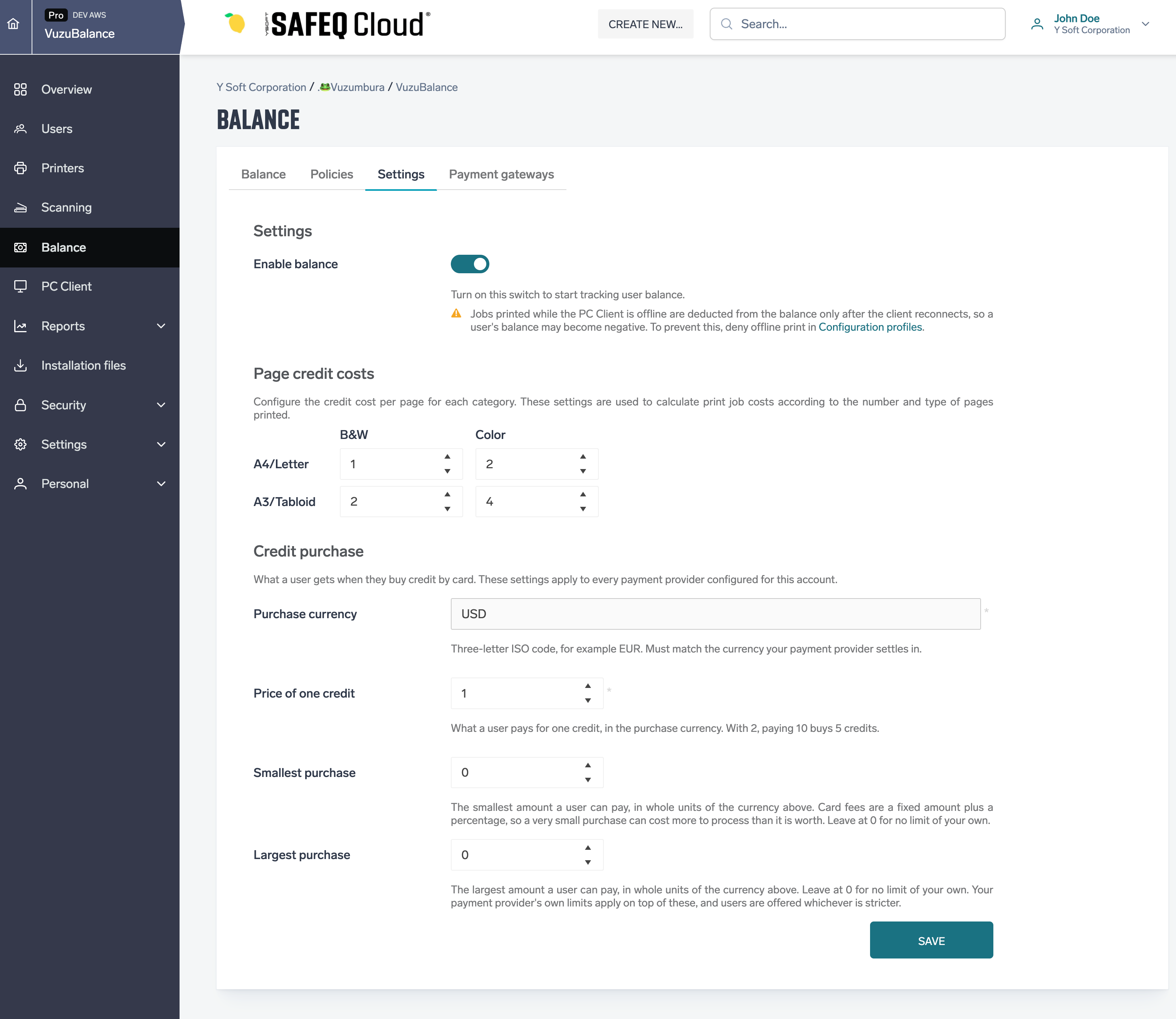
How much a credit costs is set once for the whole account, in Balance › Settings, section Credit purchase. The section appears only when balance is enabled. The same price applies to every gateway of the account.
|
Field |
Description |
|---|---|
|
Purchase currency |
Three-letter ISO code, for example EUR. Must be a currency your PayPal account can receive, see the list below. Default USD. |
|
Price of one credit |
What a user pays for one credit, in the purchase currency. Up to four decimal places. With 2, paying 10 buys 5 credits. Default 1. |
|
Smallest purchase |
The smallest amount a user can pay, in whole units of the currency. Card fees are a fixed amount plus a percentage, so very small purchases can cost more to process than they are worth. 0 means no limit of your own. |
|
Largest purchase |
The largest amount a user can pay, in whole units of the currency. 0 means no limit of your own. PayPal's own limits apply on top, and users are offered whichever is stricter. |
Users always buy whole credits. The amount charged is rounded up to the smallest unit of the currency, so the user receives exactly the number of credits they asked for.
Currencies PayPal accepts: AUD, BRL, CAD, CHF, CNY, CZK, DKK, EUR, GBP, HKD, HUF, ILS, JPY, MXN, MYR, NOK, NZD, PHP, PLN, RUB, SEK, SGD, THB, TWD, USD. HUF, JPY and TWD are charged in whole units only. With any other currency the Buy credit button is not shown to users.
Next step: Test the gateway with the sandbox.