
Balance policies
Policies tab
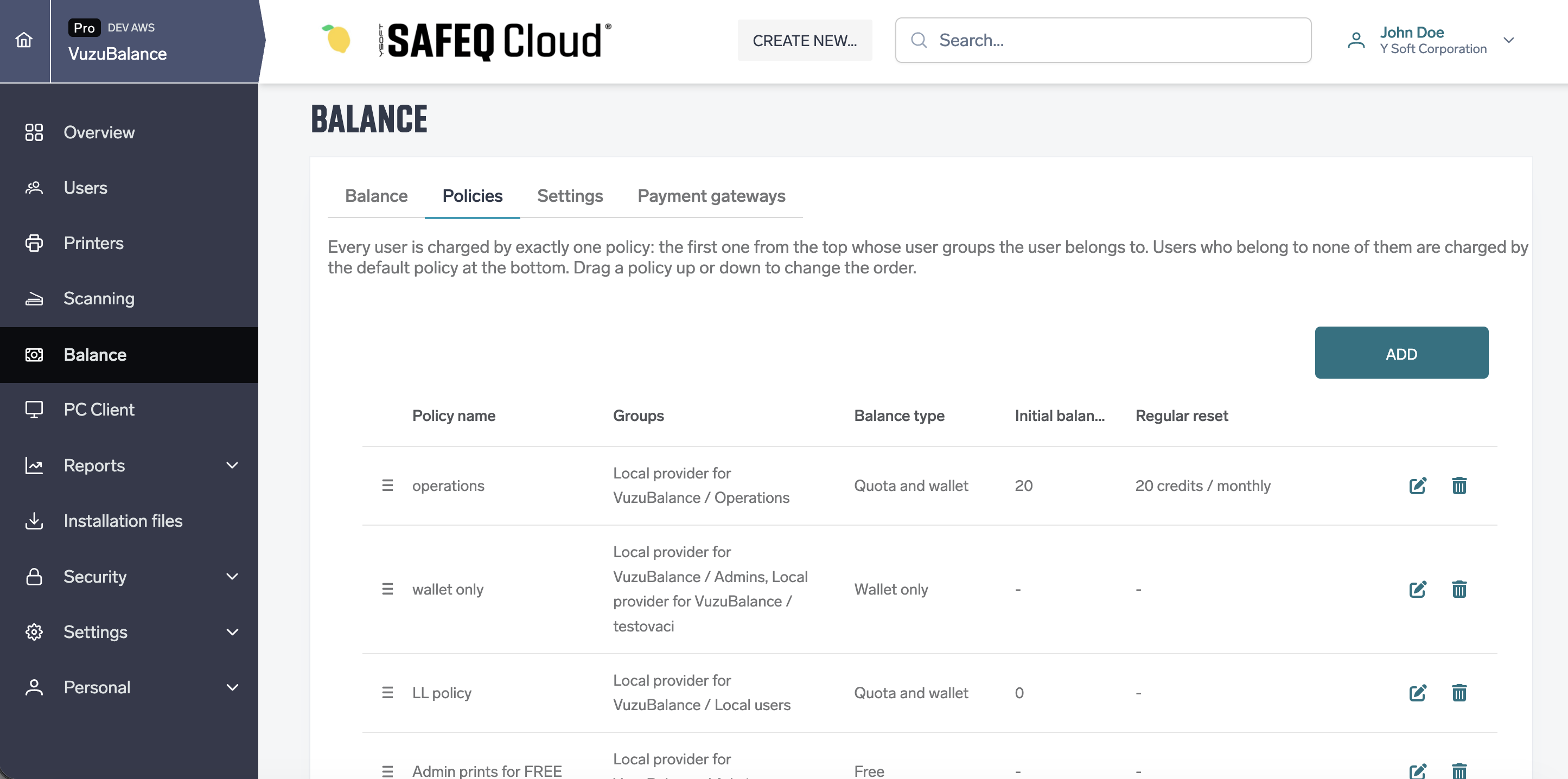
A policy decides how users are charged. Exactly one policy is applied to each user: the first one from the top whose user groups the user belongs to. The default policy at the bottom is applied to users who belong to none of them. Drag a policy up or down to change the order. The new order takes effect immediately.
|
Column |
Description |
|---|---|
|
Policy name |
The policy name. |
|
Groups |
The user groups the policy applies to, as provider / group. All users for the default policy. |
|
Balance type |
Free, Quota only, Wallet only or Quota and wallet. |
|
Initial balance |
The quota new users start with. |
|
Regular reset |
The reset amount and frequency, for example 20 credits / monthly. |
The default policy is always last. It cannot be moved or deleted. Deleting another policy also deletes its reset schedule.
Creating or editing a policy
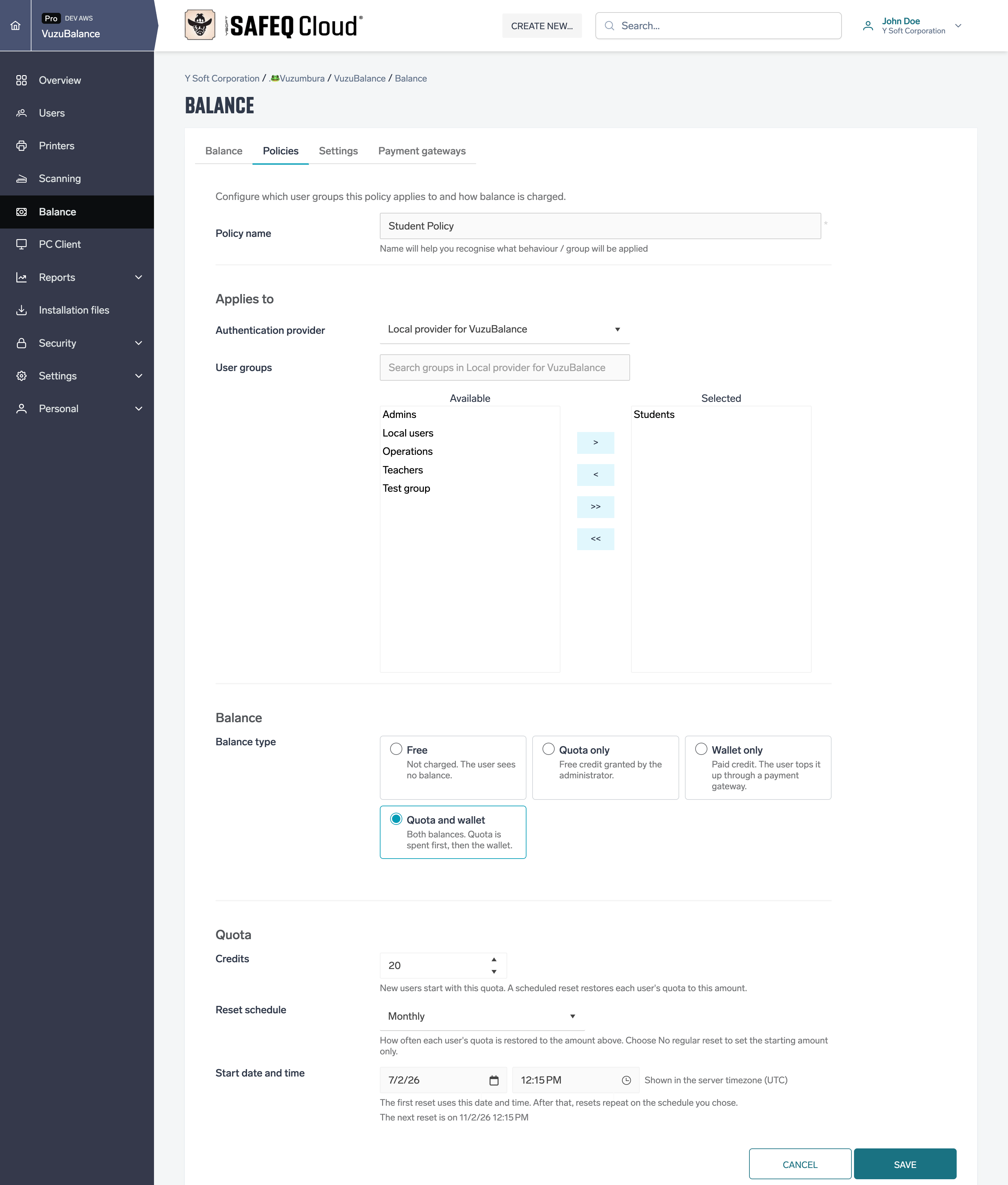
Click Add, or the edit icon of an existing policy.
|
Field |
Description |
|---|---|
|
Policy name |
Required. |
|
Authentication provider |
The provider of the user groups. Not shown for the default policy. |
|
User groups |
The groups the policy applies to. You can select several groups, all from one provider. |
|
Balance type |
Free, Quota only, Wallet only or Quota and wallet. See Balance types. |
|
Credits |
Quota-based types only. New users start with this quota, and a scheduled reset restores each user's quota to this amount. |
|
Reset schedule |
No regular reset, Weekly, Monthly, Quarterly or Yearly. |
|
Start date and time |
Shown when a reset schedule is chosen. The first reset runs at this time, shown in the server time zone. |
Applying a policy
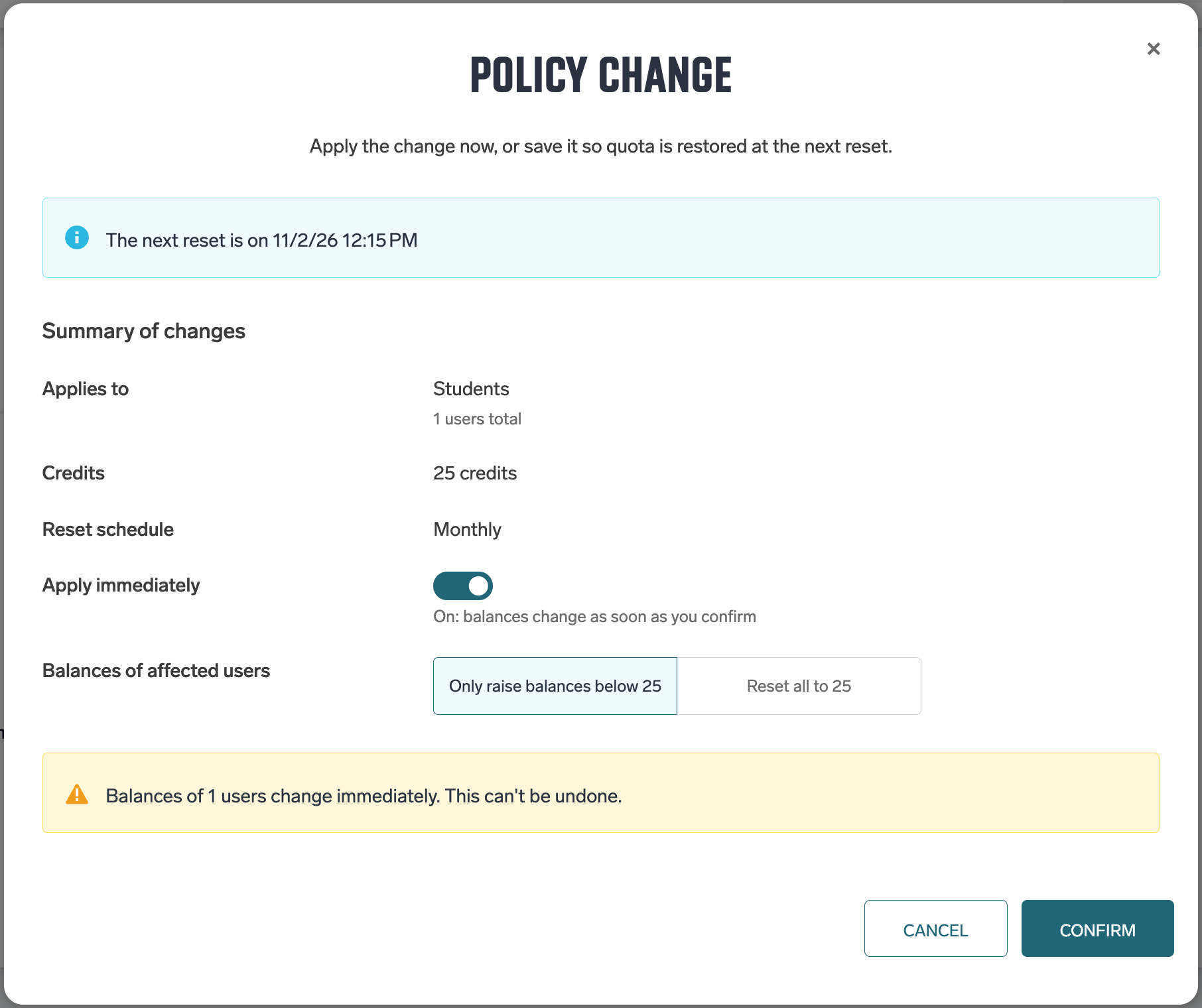
When you save a Quota only or Quota and wallet policy, a confirmation window shows a summary: the groups and number of users, the credits and the reset schedule.
-
With Apply immediately off, existing balances do not change. Quota is restored at the next scheduled reset.
-
With Apply immediately on, choose Only raise balances below N (users with more keep their quota) or Reset all to N (users with more lose the credits above N). This cannot be undone.
Click Confirm to save the policy, or Cancel to leave without saving. The change affects users whose effective policy is this one.
Scheduled reset
At each scheduled reset, users whose effective policy is this one get their quota restored to the Credits amount. Users who have more keep their quota, and the wallet is never changed. The reset appears in the transactions as Renew by System.
Initial balance for new users
When a new user is created and their effective policy is Quota only or Quota and wallet, their quota is set to the policy's Credits. This appears as an Initial transaction. A user who changes groups later gets no initial balance. Use Apply immediately or Top up instead.
Example: which policy is applied to a user
An account has these policies, from the top:
|
# |
Policy |
Groups |
Balance type |
Credits |
Reset schedule |
|---|---|---|---|---|---|
|
1 |
Admin policy |
Admins |
Free |
– |
– |
|
2 |
Teacher policy |
Teachers |
Quota only |
100 |
Monthly |
|
3 |
Student policy |
Students |
Quota only |
10 |
Monthly |
|
|
Default policy |
All users |
Quota and wallet |
10 |
No regular reset |
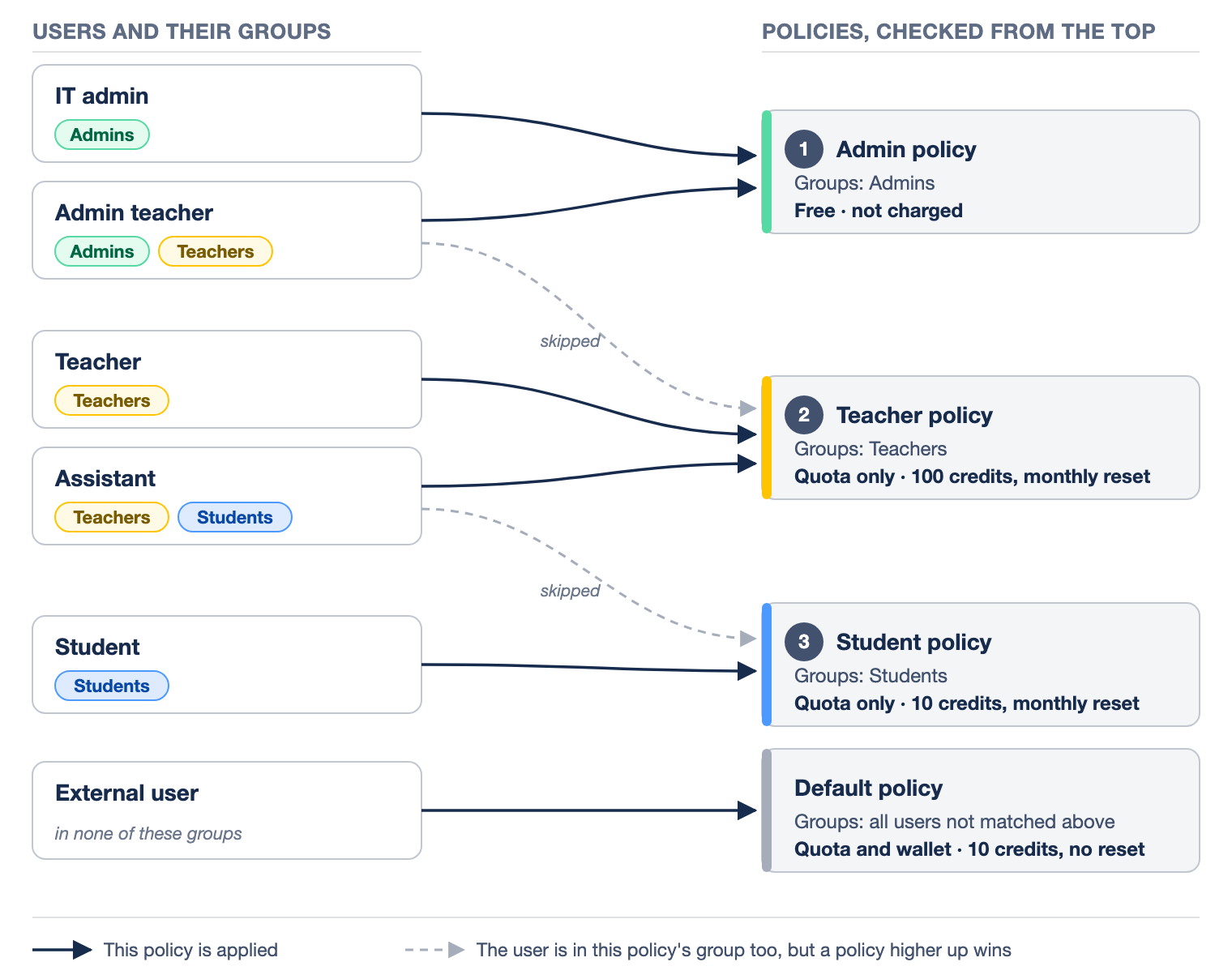
The policies are applied to the users as follows:
|
User |
User groups |
Applied policy |
Result |
|---|---|---|---|
|
IT admin |
Admins |
Admin policy |
Not charged. |
|
Admin teacher |
Admins, Teachers |
Admin policy |
Not charged. Admin policy is above Teacher policy, so Teacher policy is skipped and its monthly reset does not change this user's quota. |
|
Teacher |
Teachers |
Teacher policy |
A new teacher starts with 100 credits, and the quota is restored to 100 every month. |
|
Assistant |
Teachers, Students |
Teacher policy |
Teacher policy is above Student policy, so the assistant gets the teacher quota. |
|
Student |
Students |
Student policy |
A new student starts with 10 credits, and the quota is restored to 10 every month. |
|
External user |
none of these groups |
Default policy |
Gets 10 credits of quota once, when the user is created, and also has a wallet. |
If Teacher policy were moved above Admin policy, Teacher policy would be applied to the admin teacher instead.
Next step: Managing user balances — check users' balances, top up and withdraw credits.