
Managing user balances
Balance tab
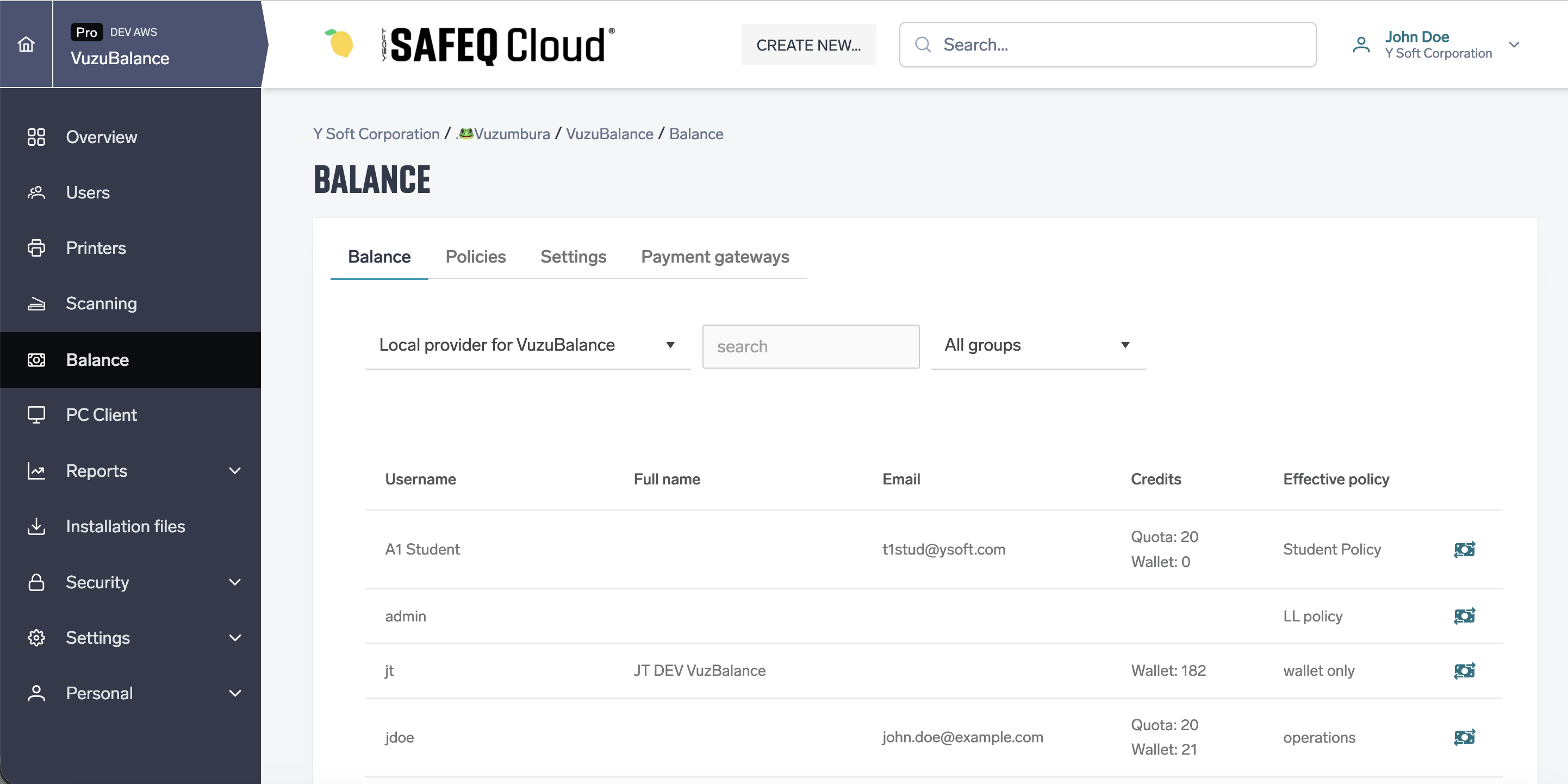
The Balance tab lists users and their balances. Above the table, choose the authentication provider and search by username or card ID. Depending on the provider, you can also filter by user group.
|
Column |
Description |
|---|---|
|
Username |
The user's login name. |
|
Full name |
The user's full name. |
|
|
The user's email address. |
|
Credits |
The balances the user's policy uses: Quota, Wallet or both. Free printing for a Free policy. Empty when the user has no balance yet. |
|
Effective policy |
The policy applied to the user. Default for the default policy. |
While balance is switched off, the tab shows: "Balance is not enabled. Enable it in Settings tab to start tracking user balance." Users without ModifyBalanceSettings see "Balance is not enabled, so user balance is not being tracked." instead.
User balance detail
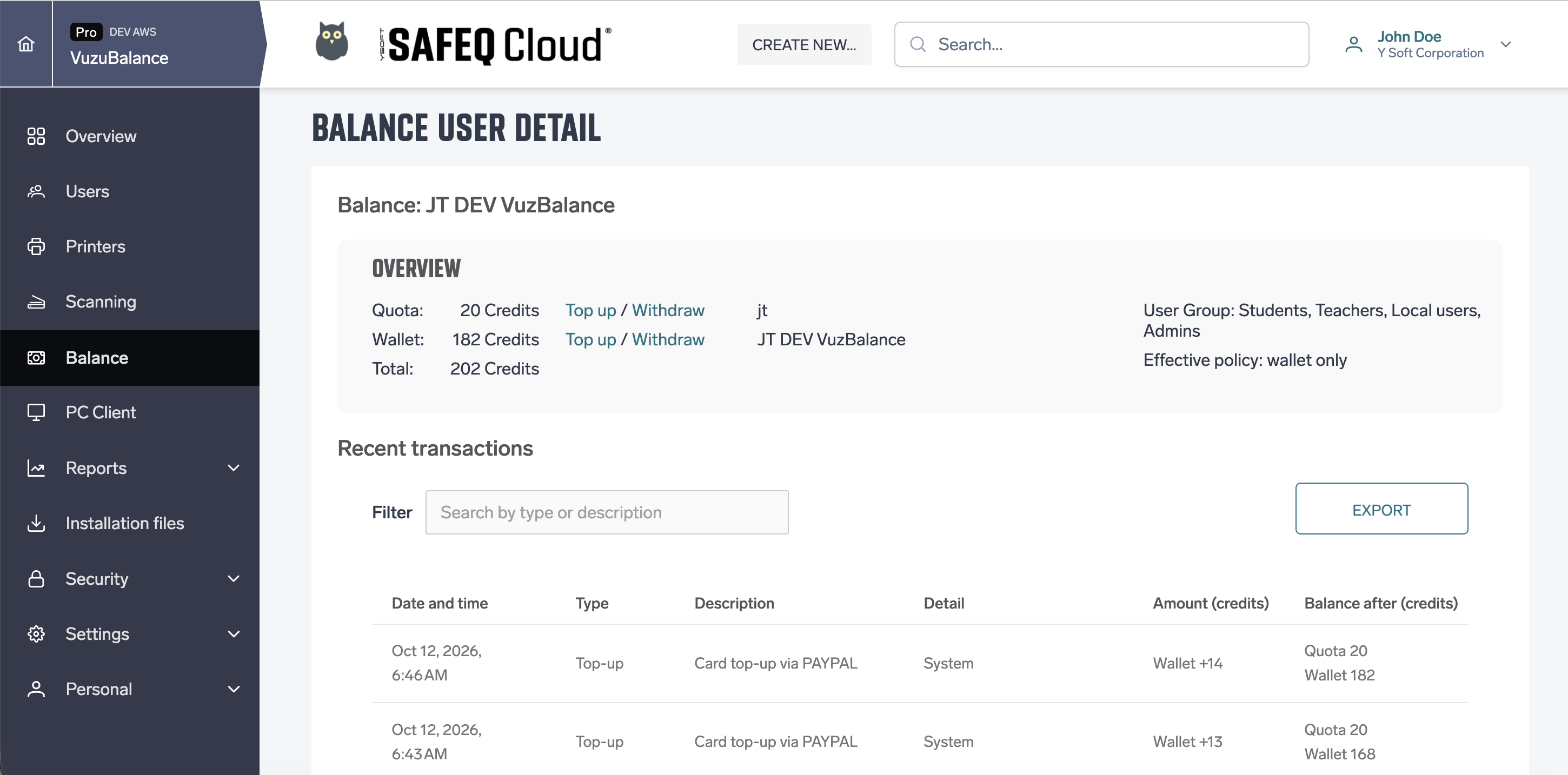
The Recent transactions icon in a user's row opens the Balance user detail page:
-
Overview — the user's Quota, Wallet and Total, the user's username, full name and email, user groups and effective policy.
-
Top up and Withdraw links next to Quota and Wallet.
-
Recent transactions — the same table as on My Balance › Recent transactions, with Filter and Export.
Top up and withdraw
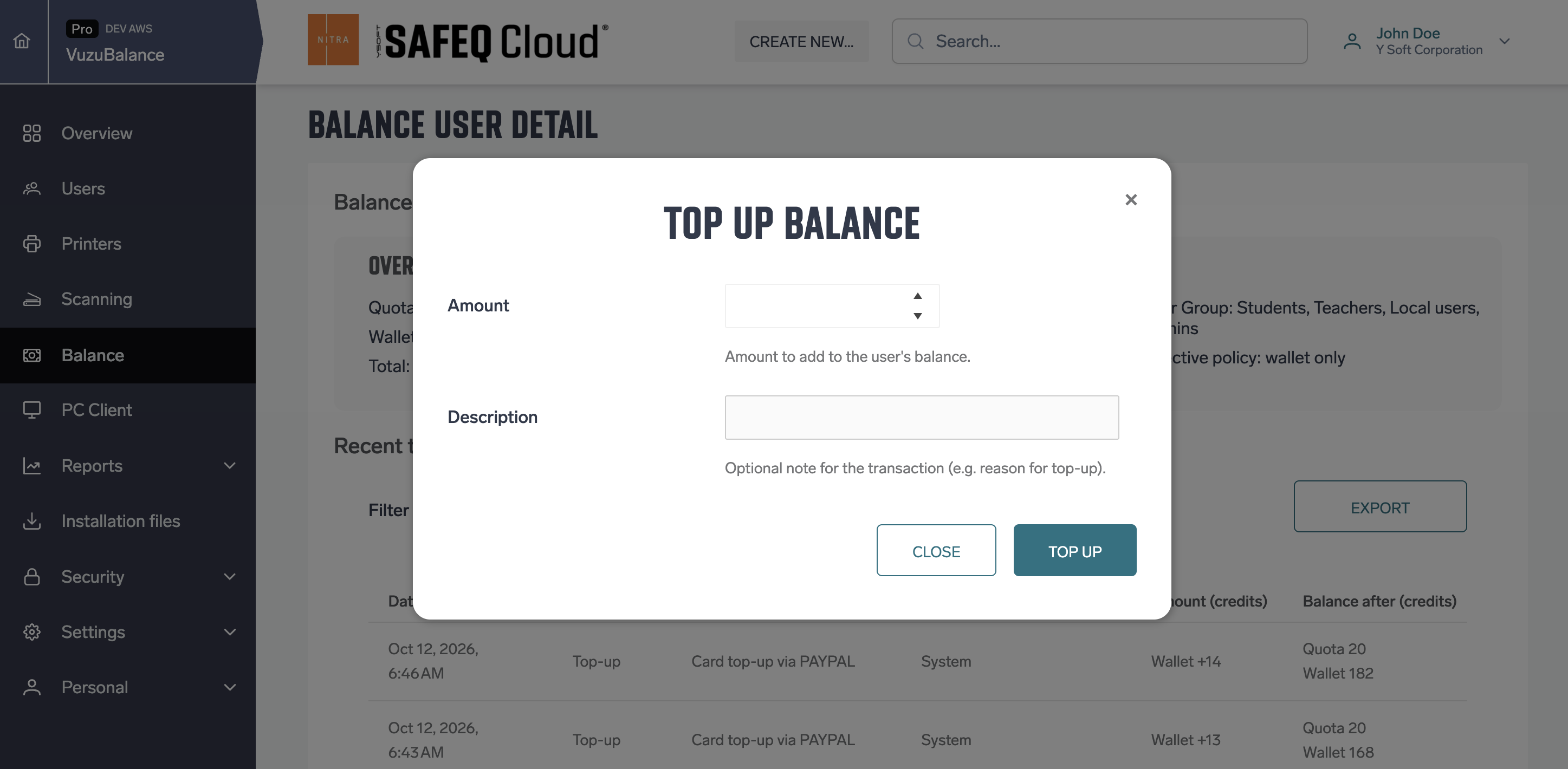
Click Top up or Withdraw next to Quota or Wallet. The row you click decides which balance changes.
|
Field |
Description |
|---|---|
|
Amount |
Credits to add or remove. Must be greater than zero, up to four decimal places. A withdrawal cannot be larger than the available balance. |
|
Description |
An optional note, shown in the transaction's Description. |
Click Top up or Withdraw to confirm, or Close to cancel. Users with a wallet can also buy credit themselves through a payment gateway, see PayPal payment gateway.
Transaction types
|
Type |
Description |
|---|---|
|
Top-up |
Credits added by an administrator, or bought by the user through a payment gateway. |
|
Withdraw |
Credits removed by an administrator. |
|
Deduction |
Credits charged for a print or copy job. |
|
Renew |
Quota set by a policy: by a scheduled reset, or when an administrator applies a policy immediately. |
|
Initial |
The starting quota a new user gets from their policy. |
Deleting users and accounts
Deleting a user or an account also deletes the balances and transaction history of the users concerned. This can't be undone, so settle wallets before you delete. Refund a user's remaining paid credits and withdraw them, or top up a user who owes credits.
-
Deleting a user deletes the user's quota, wallet and all of their transactions. Top-ups and withdrawals the user made for others as an administrator stay, but show System instead of the user.
-
Deleting an account deletes its policies and all user balances and transactions, together with the rest of its data. Online payment records and payment gateways are deleted too, see PayPal payment gateway.
Before deleting, the web interface warns about wallets that aren't settled:
-
Deleting a user whose wallet isn't zero asks for confirmation and shows the user's paid credits or debt.
-
Deleting an account shows, in the Delete account window, how many users have credits left and how many owe credits, with the totals.
Only the wallet is checked. Quota is deleted without a warning. Users deleted in other ways, for example with their authentication provider, lose their balance without a warning.