
This section can be found on the Security Options page under the General tab.
This setting is available for Customer accounts only.
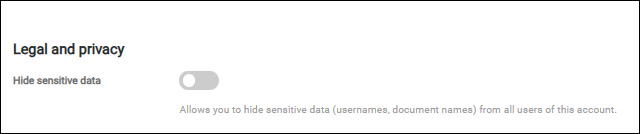
Use this setting to anonymize the usernames and document names in print reports, print queues, print history panel, top 5 users panel, and others. Also if this setting is enabled, print jobs are excluded from search functionality.
When a field is anonymized, the original value is replaced by a random string in braces, and a tooltip is displayed when you hover over it.
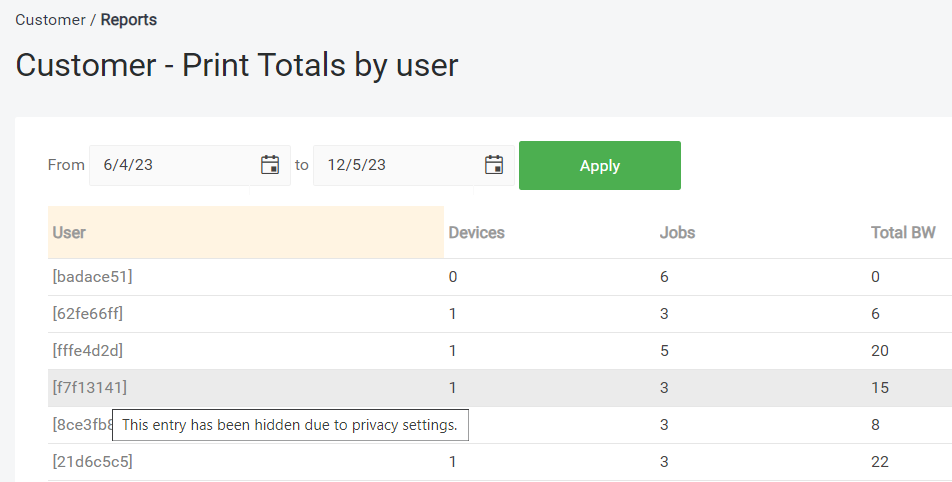
When data is anonymized
Personal data is anonymized when either of the following applies:
-
The Privacy setting described above is enabled on the customer account.
-
The signed-in user's role does not hold the ViewUnmaskedPersonalData permission on the account being displayed.
The second rule applies regardless of the account's own Privacy setting, so a user without the permission always sees anonymized data.
The built-in roles Users, Guests, Direct Print and Customer Viewer do not hold ViewUnmaskedPersonalData. All other built-in roles hold it. A role you create yourself does not hold it until you add it, so a new custom role sees anonymized data by default.
The Users screen shows the real names to any user holding the corresponding View permissions, independently of the Privacy setting or the ViewUnmaskedPersonalData permission.
Audit logs are not anonymized, they are withheld. A user whose role does not hold ViewUnmaskedPersonalData sees the Audit logs page disabled same as when the account's Privacy setting is enabled.
Scheduled reports are generated by the system rather than on behalf of a particular recipient, so their content follows the account's Privacy setting only. It is not adjusted to the roles of the recipients. See Scheduled reports.
Data hiding in public API
When using public API, the anonymized data are displayed as: "********"
For a public API call, ViewUnmaskedPersonalData is evaluated as the intersection of the API key's permissions and the user token's permissions: data is returned unmasked only when both hold it. A call made with an API key alone, without a user token, is evaluated against the key's permissions only.
The upgrade to 2026.09.03 grants ViewUnmaskedPersonalData to every API key that has Advanced API permissions enabled, so existing integrations are unaffected. An API key created afterwards does not hold the permission until you select it, and receives anonymized values until you do.